| documentation | ||
| .gitignore | ||
| config.ini | ||
| make_reservations.py | ||
| README.md | ||
| requirements.txt | ||
| run_make_reservations.bat | ||
| save_progress_reports.py | ||

Flight Schedule Pro Scripts
Disclaimer
Expect this shit to break at any point. Most likely when you really need it.
Examples assume a UNIX-like environment
Requirements
- Python 3
- Pip
- Firefox
Install
Clone this repository
Navigate to the resulting directory
Create a virtual environment and install dependencies
UNIX-Like
python -m venv .venv
source .venv/bin/activate
pip install -r requirements.txt
Windows
py -m venv .venv
.venv\Scripts\activate
pip install -r requirements.txt
Update config.ini with your Flight Schedule Pro tenant ID, username, and password
Tenant ID is the ID of the company that the user wishes to log in to
This can be found in the login URL
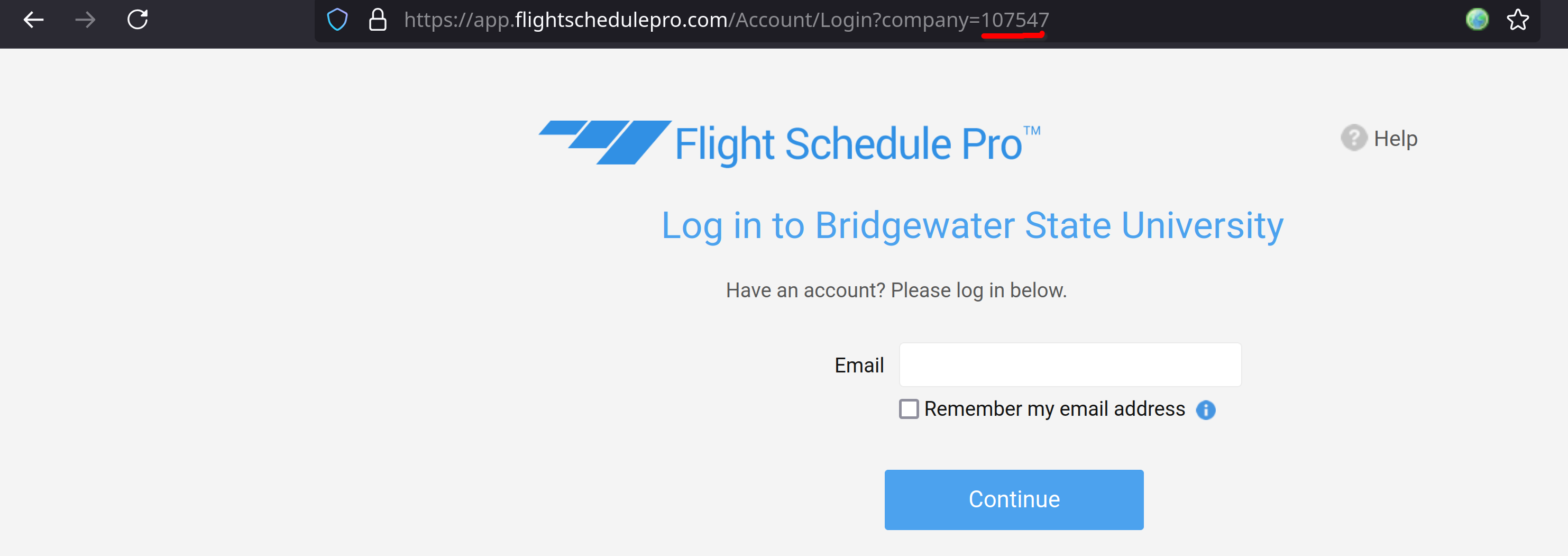
Config
TODO (aka figure it out yourself)
Scripts
save_progress_reports.py
Downloads individual session PDFs for students and merges them into a single PDF per student
Usage
# At a minimum the script requires one argument, the name of a student to retrieve sessions for
python save_progress_reports.py "Greg Johnson"

# Also accepts multiple students (one PDF generated per student)
python save_progress_reports.py "Greg Johnson" "Casey Serbagi"

# Partial names work as well (retrieves the first student with a matching name)
python save_progress_reports.py Greg

# List students
python save_progress_reports.py -l

# Output PDF(s) to another directory
python save_progress_reports.py -o /my/shitty/directory Greg

# More usage details
python save_progress_reports.py --help
make_reservations.py
Looks for reservations a specified number of days in the future and adds a comment reserving a C172 including a timestamp
Usage
# No arguments required. Default reservation lookahead is today's date + 2 days
python make_resvervations.py

# Can also specify the number of days to look ahead with -d argument
python make_resvervations.py -d 5

# Perform a "dry run" (i.e. runs the script but does not save any comments). Use in conjuction with -s to show the browser window and verify script is behaving as intended
python make_resvervations.py -D -s

# More usage details
python make_reservations.py --help